TritonPark — “Less Parking. More Living.”
- Role
- Product Designer, 3-person team (PM, PMM, PD)
- Scope
- End-to-end iOS app, affinity mapping, branding, prototyping
- Platform
- iOS
Problem
Commuter students navigate severe lot congestion every morning.
With zero visibility into real-time lot capacity, commuters missed lectures and picked up parking citations.
of respondents had been late to class due to campus parking shortages
did not know the official UCSD app offered any parking availability information
Solution
Real-time availability, in-app permits and citation management in one app.
Why TritonPark?
TritonPark contains all the necessary features for UCSD students and faculty to find available parking more efficiently. Not only is there a real-time spot availability tracker, you can also buy permits, navigate and map to the closest structure or lot, see your tickets, and more.
- Real-time campus-wide spot availability tracking and structure navigation
- In-app digital permit checkout
- Consolidated parking activity and citation management
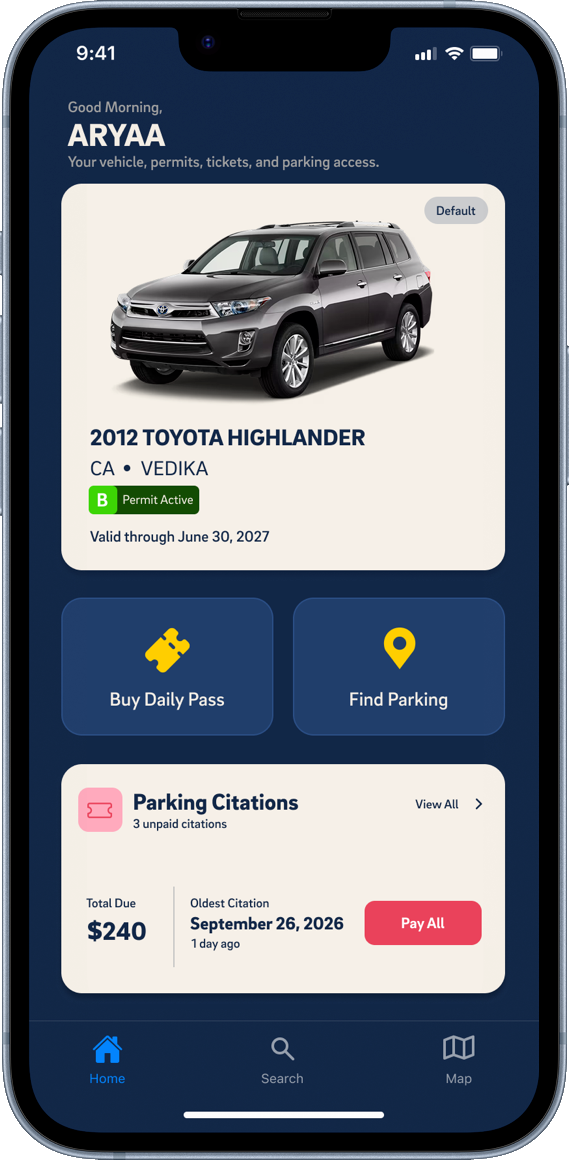
Home dashboard
Your vehicle, active permit and two quick actions, with any unpaid citations summarized at the bottom.
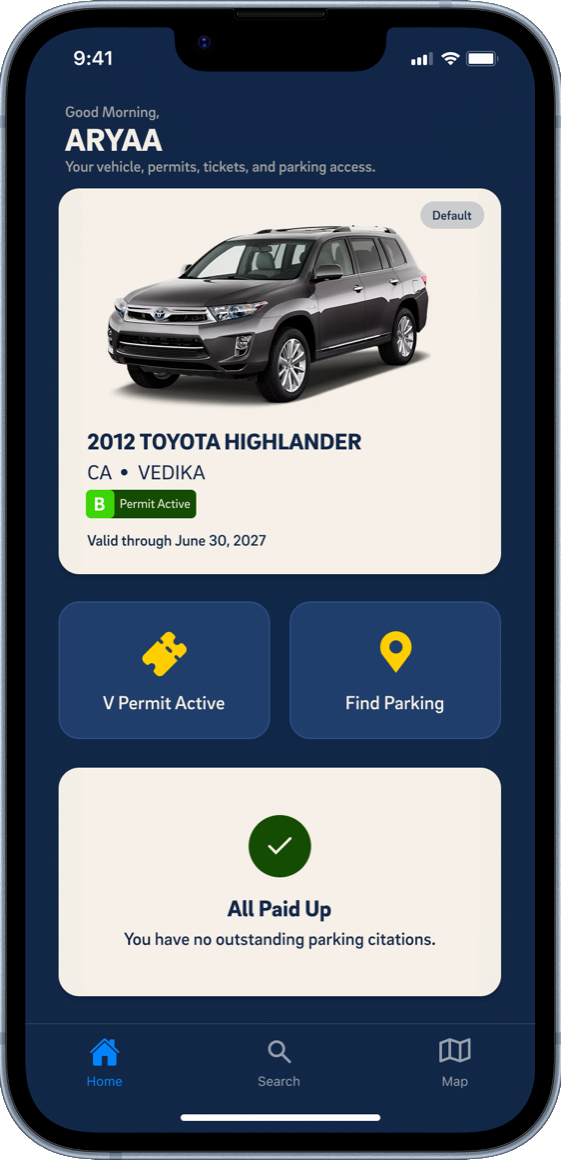
Home, all paid up
With no citations outstanding, the dashboard simply confirms you're all paid up.
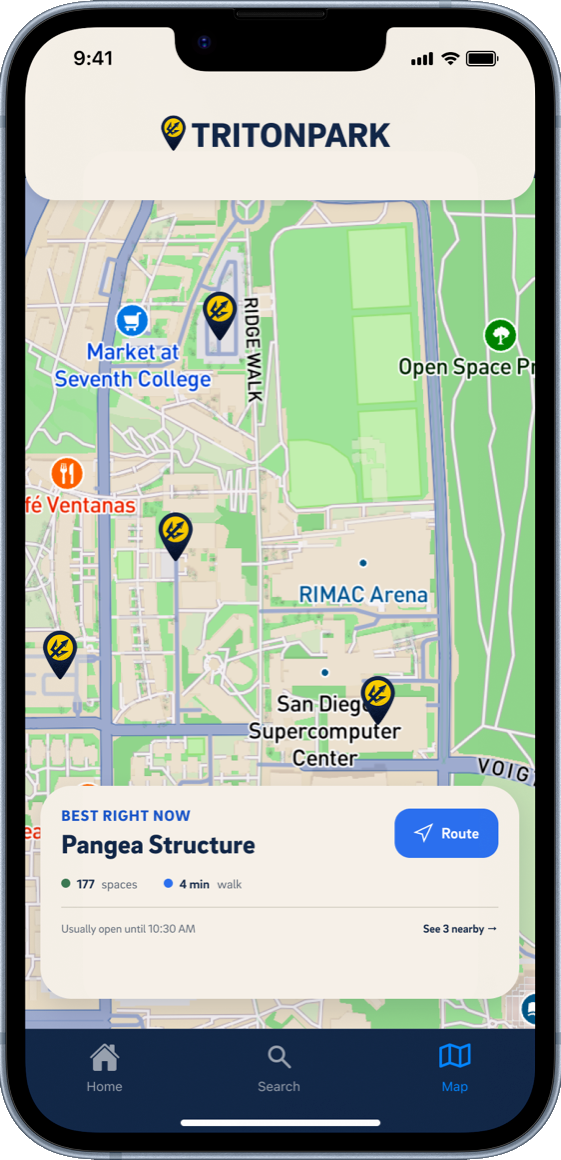
Map dashboard
A campus map of lots, with a Best Right Now card that shows open spaces and walk time.
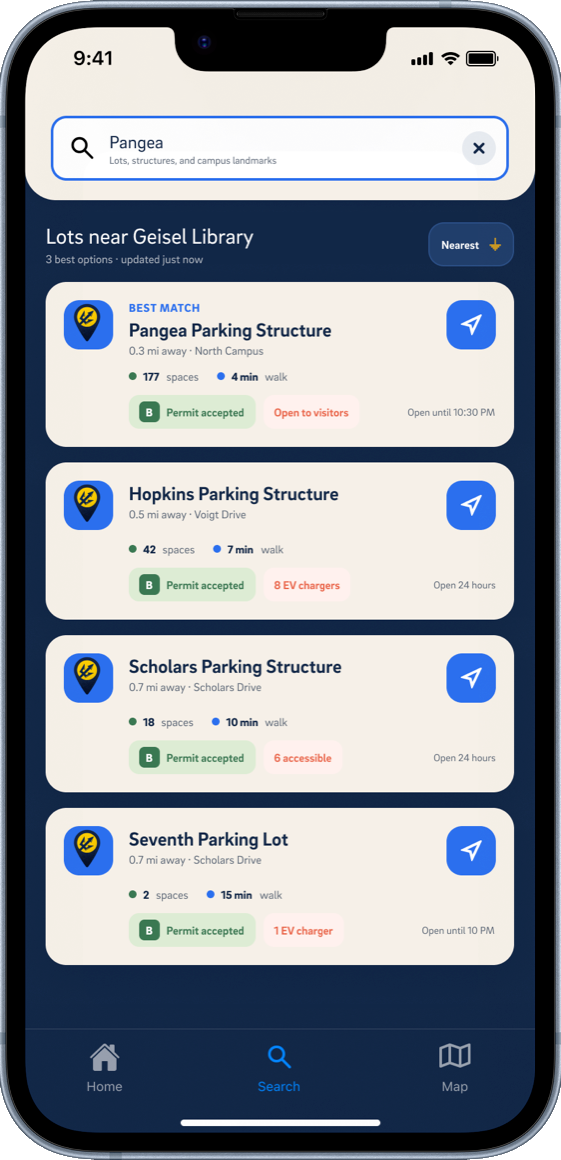
Search parking lots
Search a landmark and get nearby lots with spaces, walk time and which permits they accept.
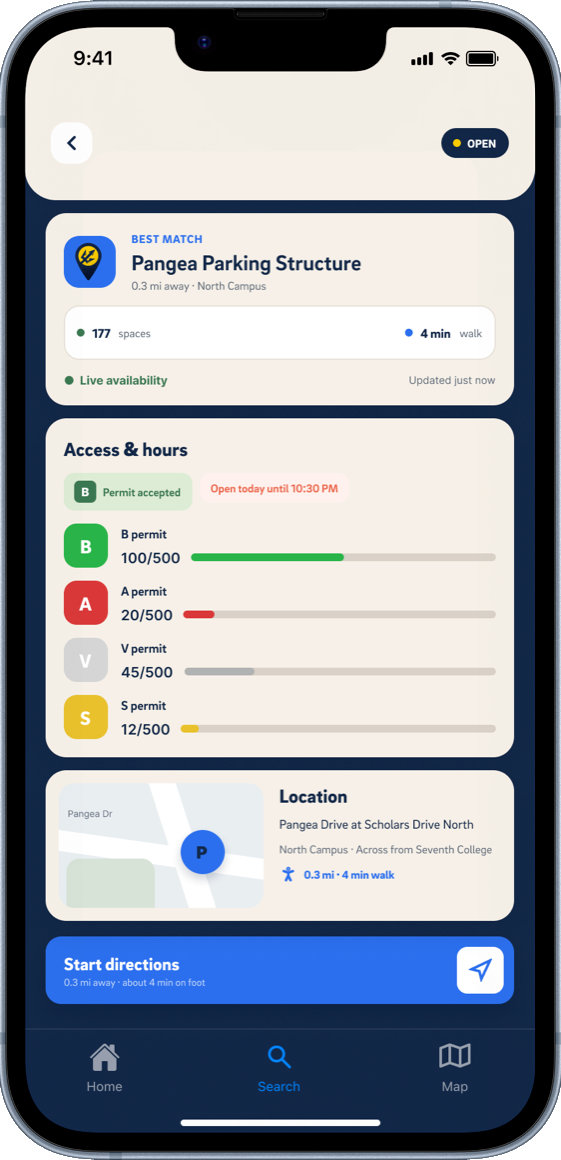
Lot details
Open a lot to see its availability, a location map and a button to start directions.
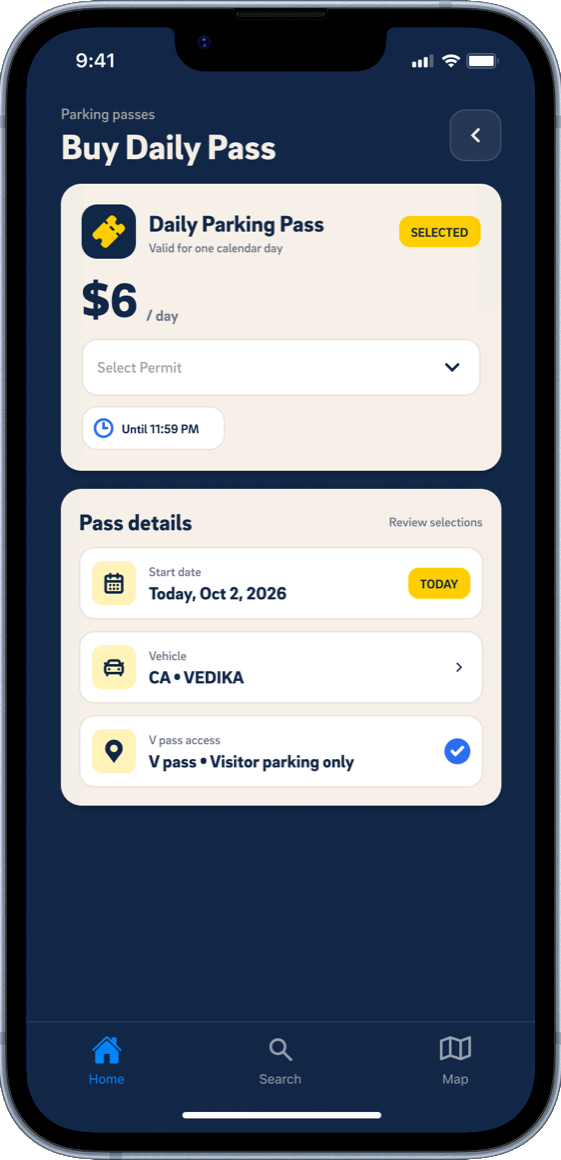
Buy daily pass
Choose a permit and see the daily price, with start date, vehicle and access listed below.
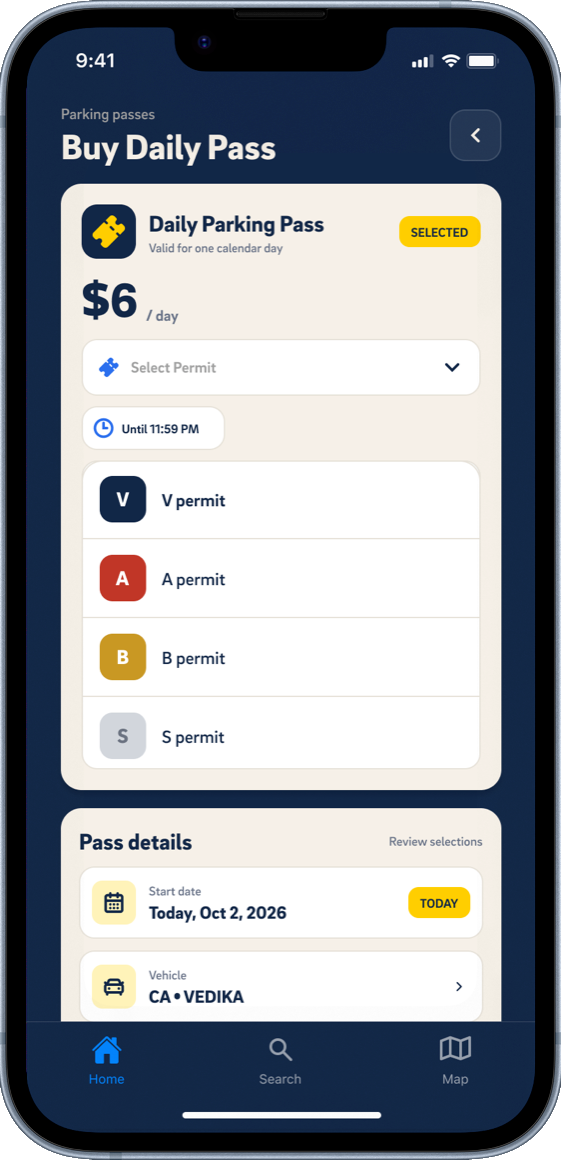
Select permit
The permit selector opens in place, so you choose without leaving the purchase screen.
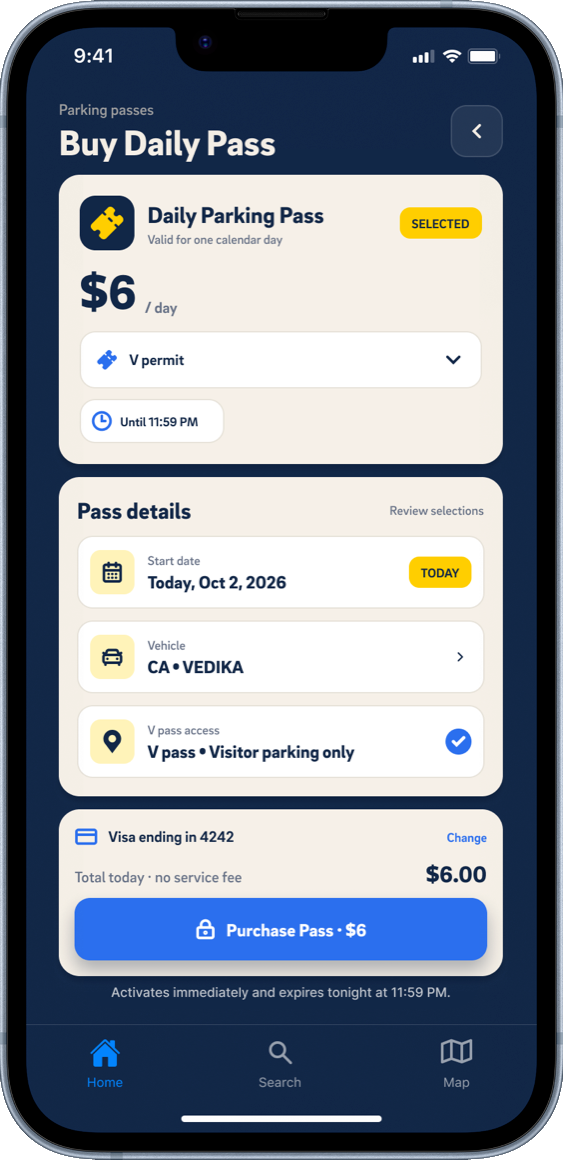
Confirm and purchase
A summary of the pass and total sit above a single Purchase Pass button.
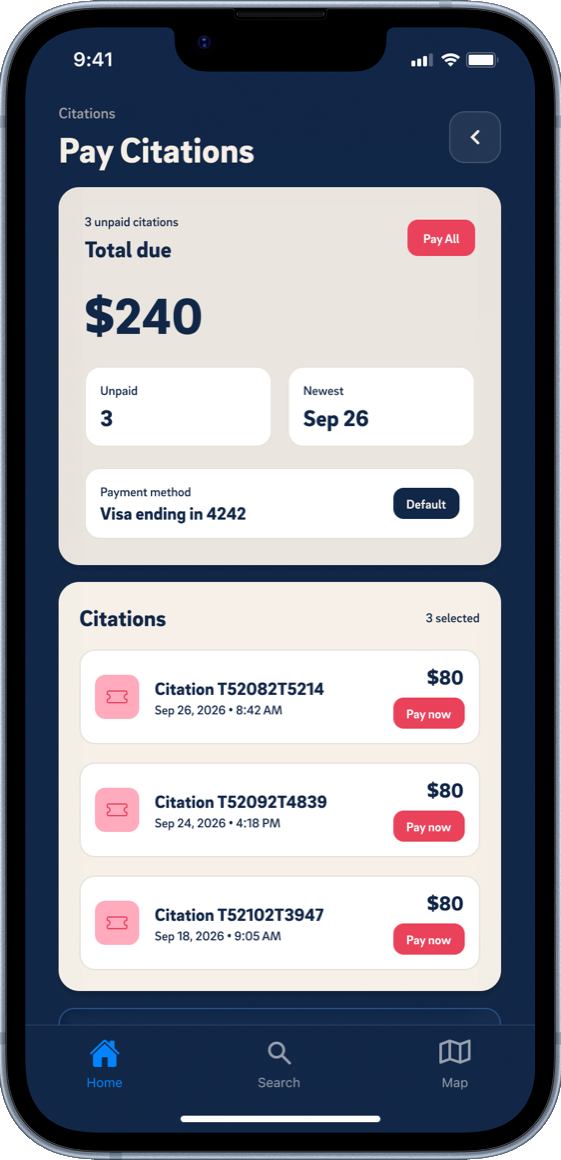
Pay citations
Total due, number of unpaid citations and the oldest one up top, with each citation listed below.
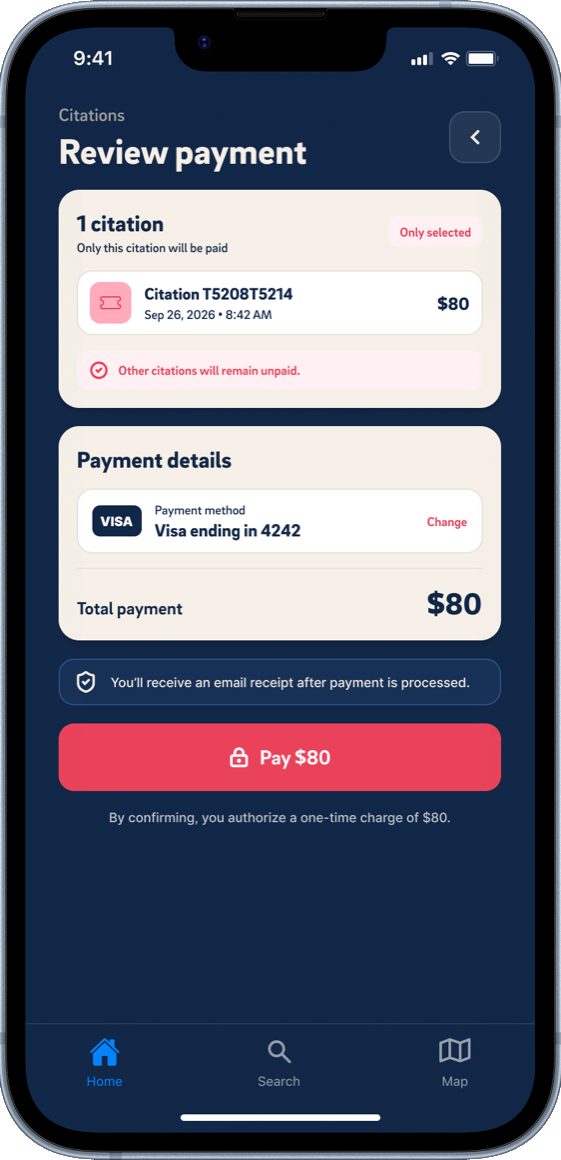
Review one citation
Paying a single citation shows the amount and payment method before you confirm.
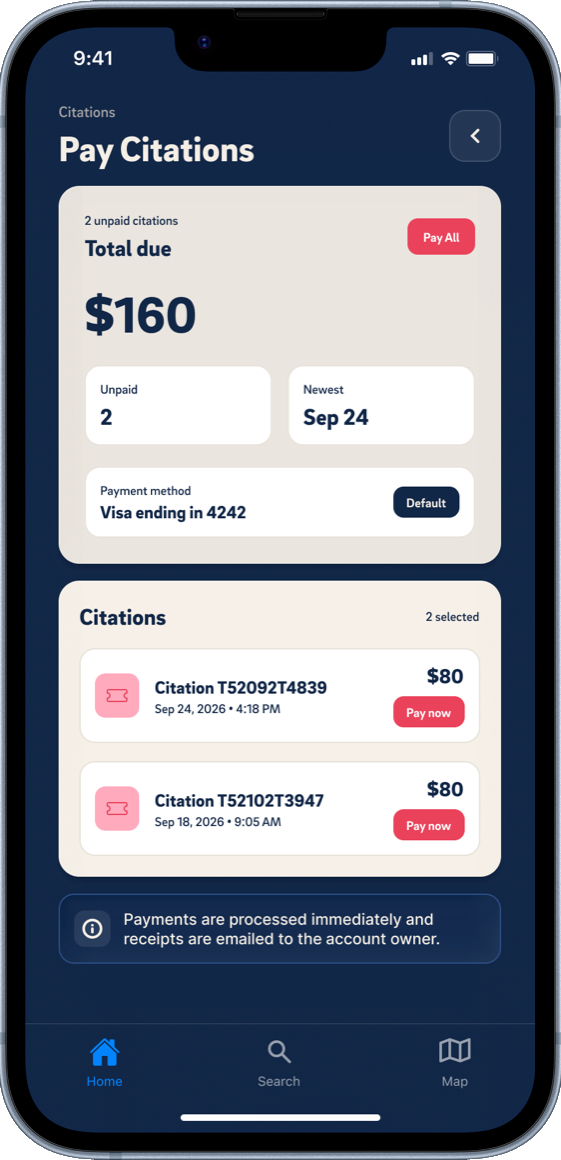
Pay selected citations
Select just the citations you want to settle, with a note that receipts are emailed.
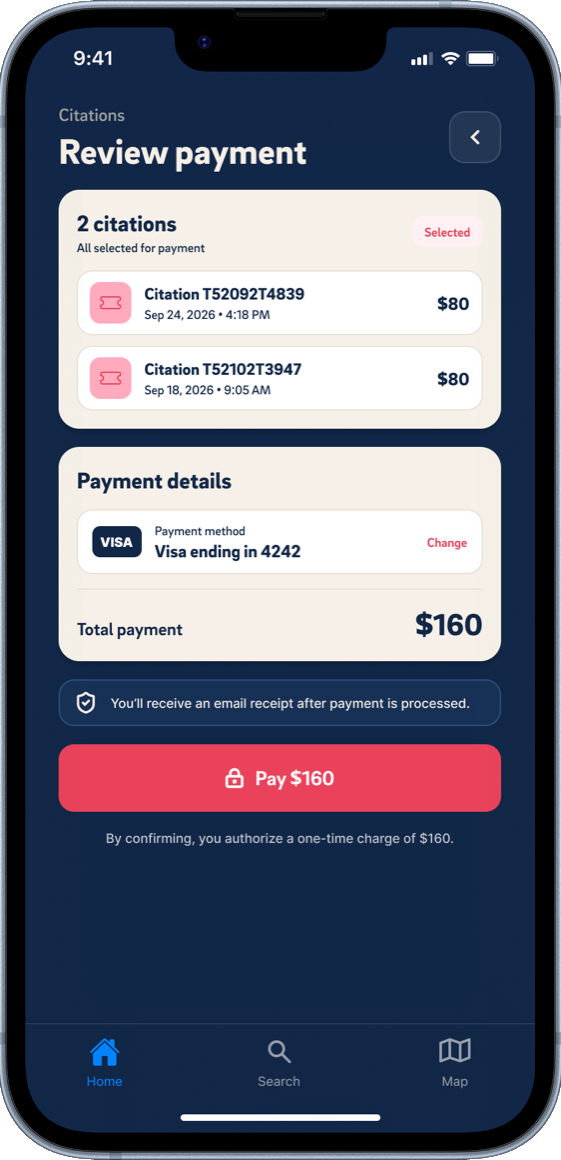
Review two citations
Two selected citations, the card on file and the combined total ahead of one Pay button.
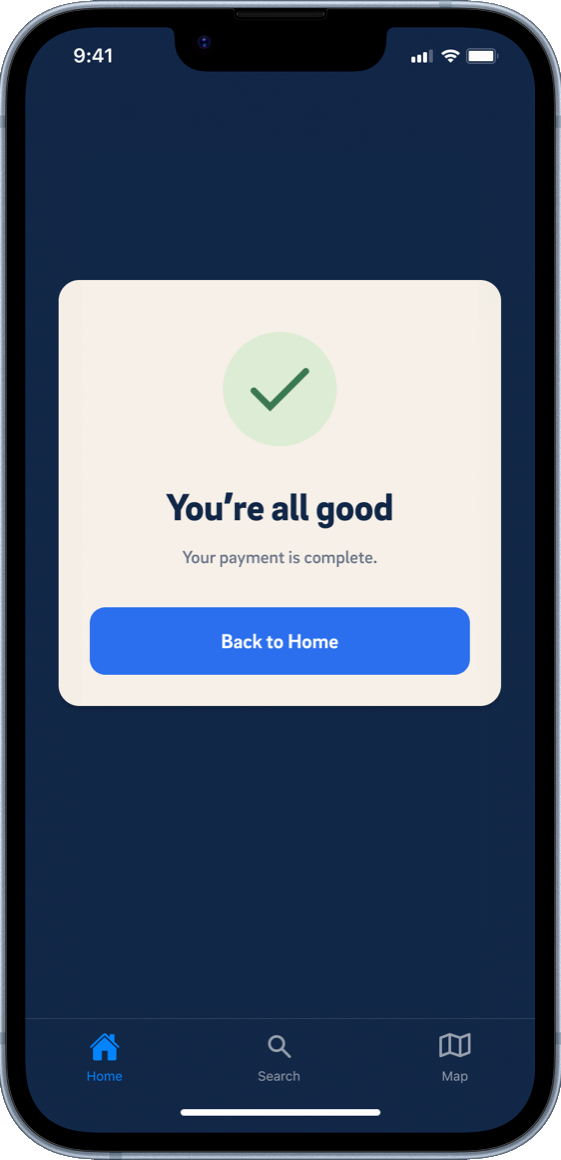
Payment complete
A confirmation card says you're all good, with a button back to Home.
Process
How I got there.
- .01
Research
Three methods, used together:
- User interviews10 live interviews, plus 37 responses to an online survey. 91.9% of participants had been late to class or events because of parking problems, and 78.4% didn't know the current UCSD app offers parking information.
- Competitive auditTwo general UCSD parking apps. Gaps in target segmentation, especially micro-campus zone filtering (for example S-permit vs B-permit zones), plus customization, map integration, core features and real-time info.
- Gathering dataUnderstanding current parking habits, how aware people are of existing UCSD parking tools and how they use them, how people typically find and purchase parking, and how they interact with the UCSD app's parking features.
- .02
What we found
I grouped what we heard with affinity mapping, from sticky notes on a laptop to the patterns below.
7/10participants did not know the UCSD app has a parking feature
“No, I just go for it and try to find spots myself. I never open the app.”
10/10participants felt frustrated by the confusing parking section of the UCSD app
“So it's supposed to show you how much parking is available per permit, but it's broken because it says N/A for S spots, which is what I use. So it's useless.”
- Most participants were juniors and seniors who live off campus
- 28 of 37 knew ParkMobile, a competitor, and 86.5% had used it to buy temporary daily parking passes
- Three groups by how often they park: once a week (least impacted, wouldn't care much if parking got easier), more than once a week (mid impact, would still benefit) and daily (high impact, benefits the most)
- The least impacted find parking in under 5 minutes. The two high-impact groups spend 10–15 and 15–30 minutes, so the focus is lowering that time
- Most have a poor relationship with parking on campus, and most are likely to use a new UCSD parking app
- .03
Positioning
Apps like ParkMobile and the UCSD app already exist and are used by students, yet 43.24% of our interviewees rated parking at UCSD a 1 on a scale of 1 to 5, with 1 being awful. TritonPark would offer the convenience of keeping all the parking information needed in one place, to make the whole process smoother.
- .04
User flow
Every path starts when you open the app and ends with parking confirmed.
- Open app→Map→Select lot and zone→View availability→Park and confirm
- Open app→Search bar→Search lot and spot type→View live parking spots→Park and confirm
- Open app→Reserve→Select spot→Select amount of time→Park and confirm
- Open app→Profile→View current passes, availability, tickets→Pay any current tickets→Park and confirm
- .05
Visual language
A palette drawn from UC San Diego's own colors, so the app feels like it belongs on campus.
- Color: UC San Diego Navy, Blue and Yellow, with gradients of Navy + Magenta, Yellow + Turquoise + Magenta, and Navy + Turquoise
- Type: Refrigerator Deluxe and Brix Sans
- .06
Prototype
An interactive prototype of the full flow, from checking lot availability to buying a pass and paying a citation. The prototype video is at the top of this page.